Improved map/routing for municipal departments

Context
Accela’s Civic Platform coordinates city planning, licensing, zoning, asset management, service requests, code enforcement, inspections, emergency response and more. A growing number of issues with the map/routing experience were increasing churn, bug count, and customer success tickets.
Objective
Design a new map/routing experience that’s lovable, discoverable, legible and and accessible.
Poor information architecture impedes discoverability
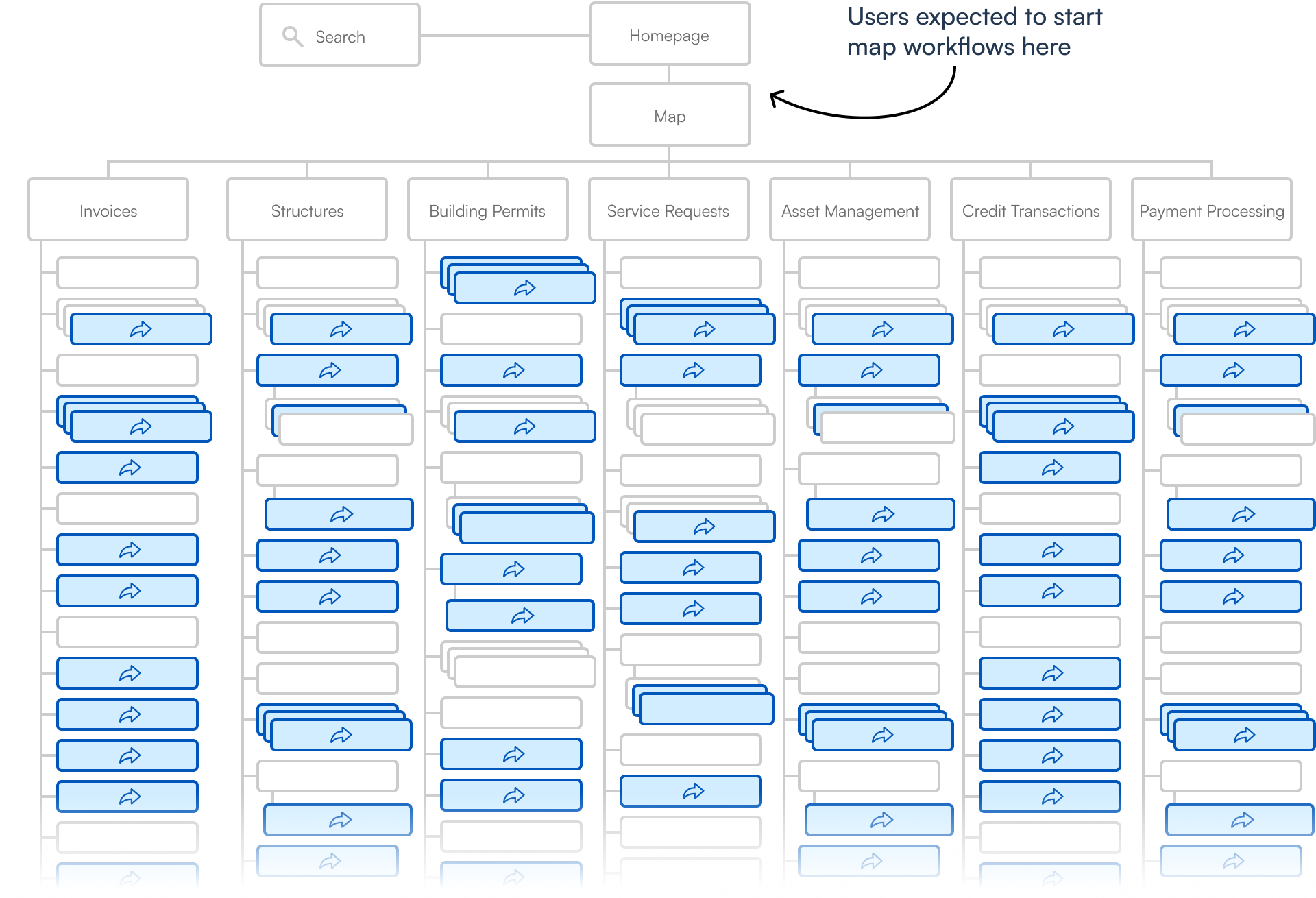
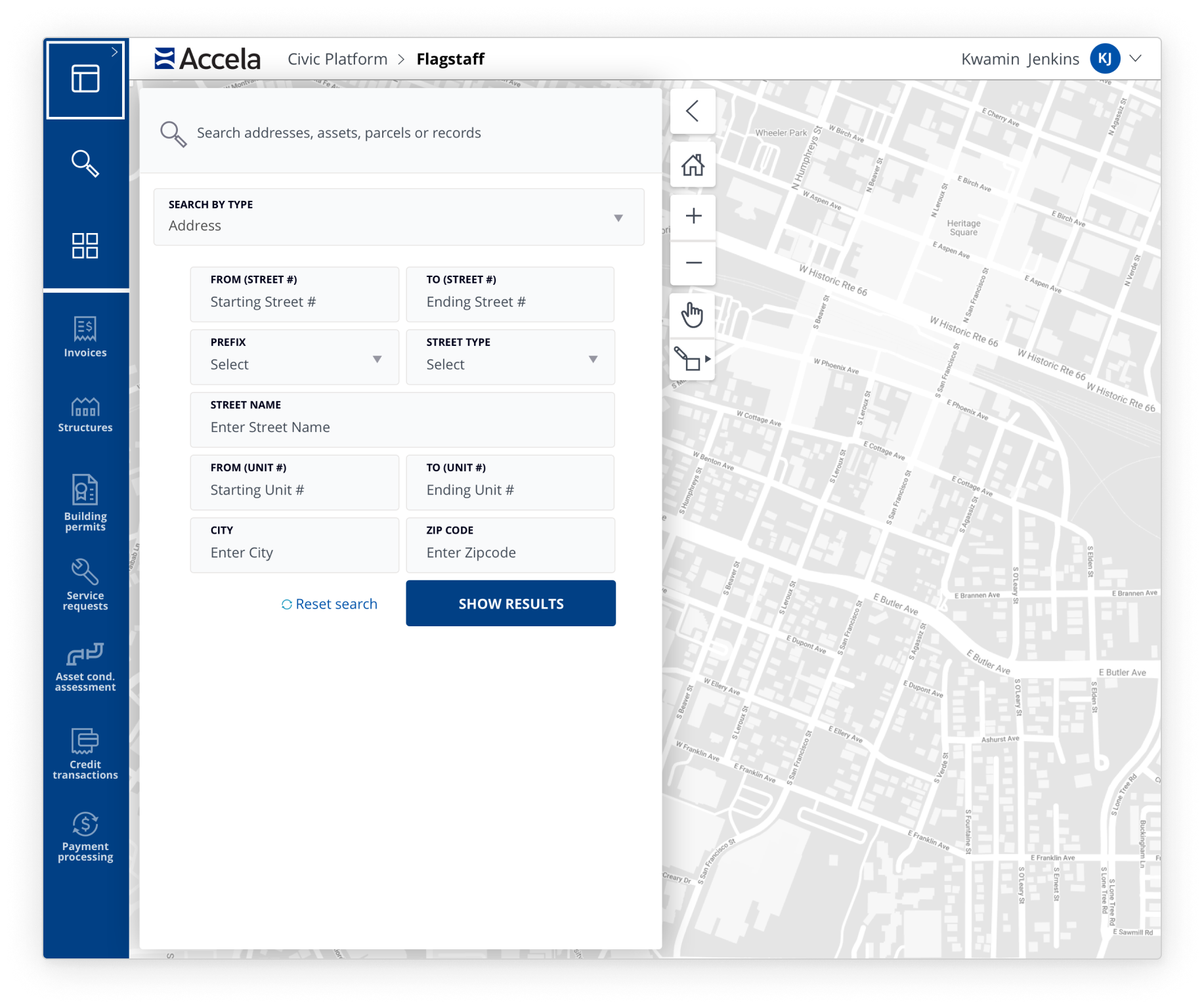
Users expected to start map workflows on the map page, but instead had to start several layers deep into the information architecture. Hundreds of map workflow entry points were deeply buried, reducing discoverability. Also, those entry point UI’s were wildly inconsistent, reducing learnability.
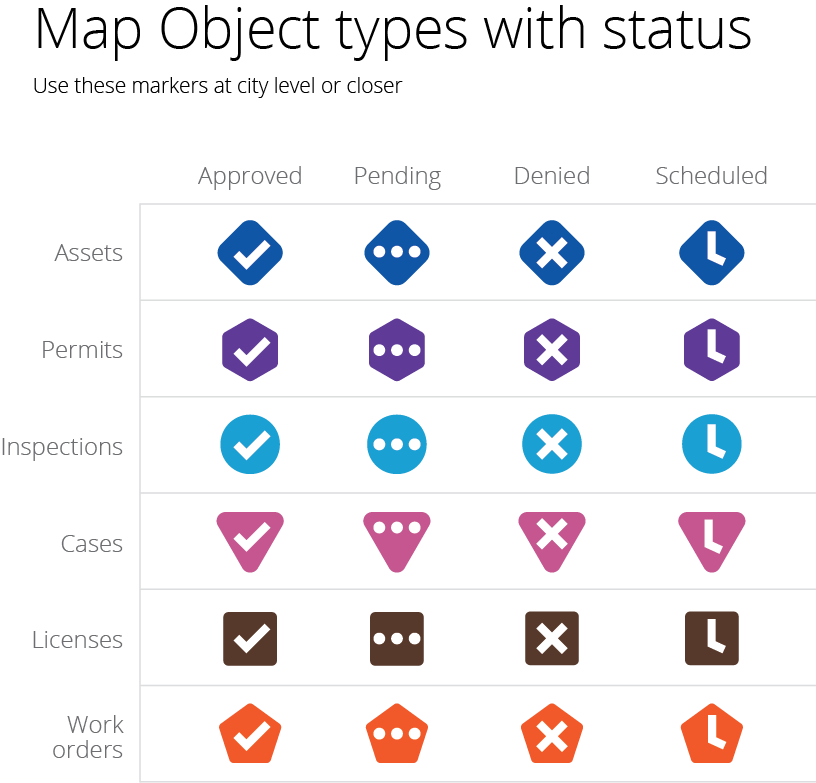
Additionally, the visual design of the map/routing UI rendered them difficult to use. Low contrast between the map base layer, polygons and map objects resulted in poor legibility. This created a high volume of customer service tickets and bugs not to mention disqualifying it from ADA compliance.
Customer visit reveals the need for dual monitors
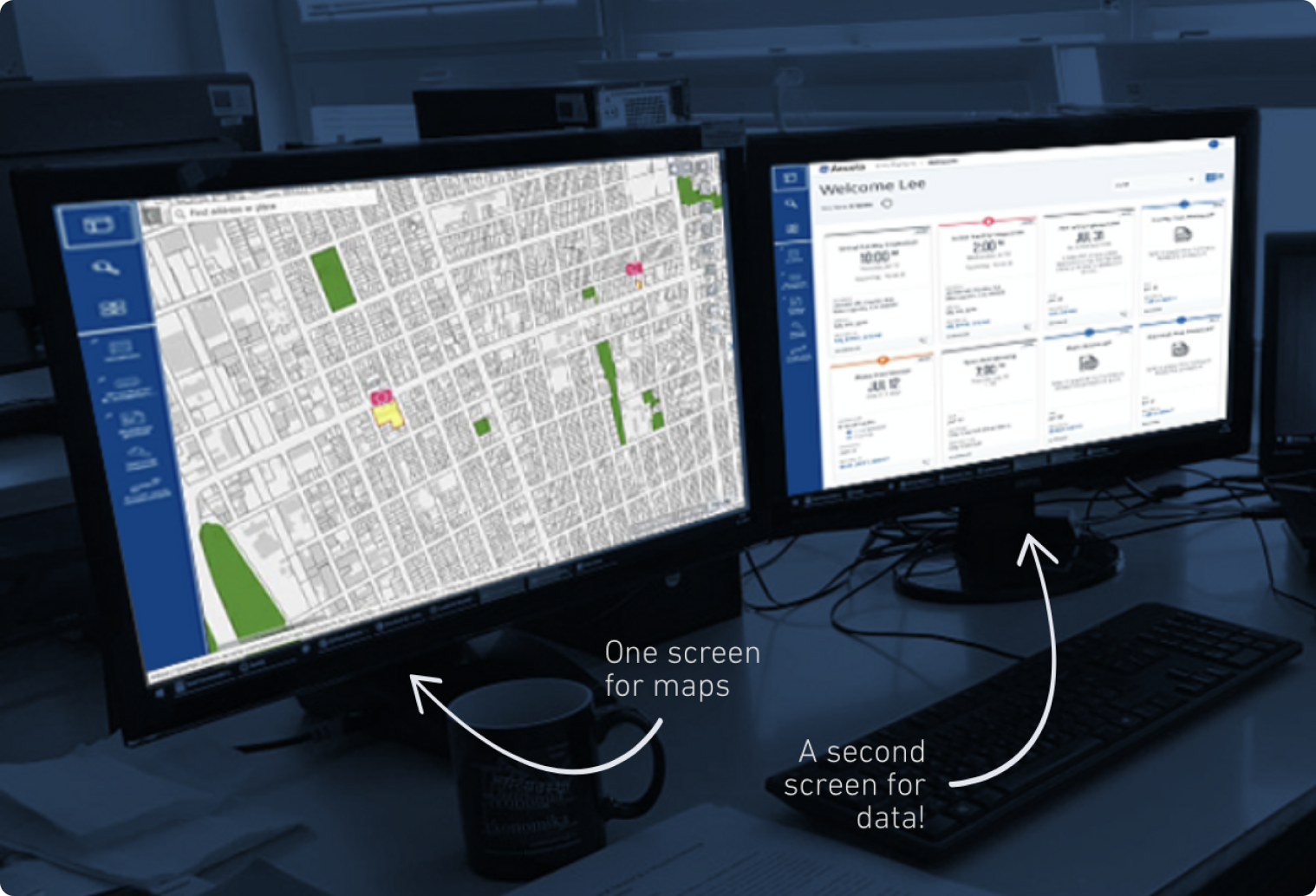
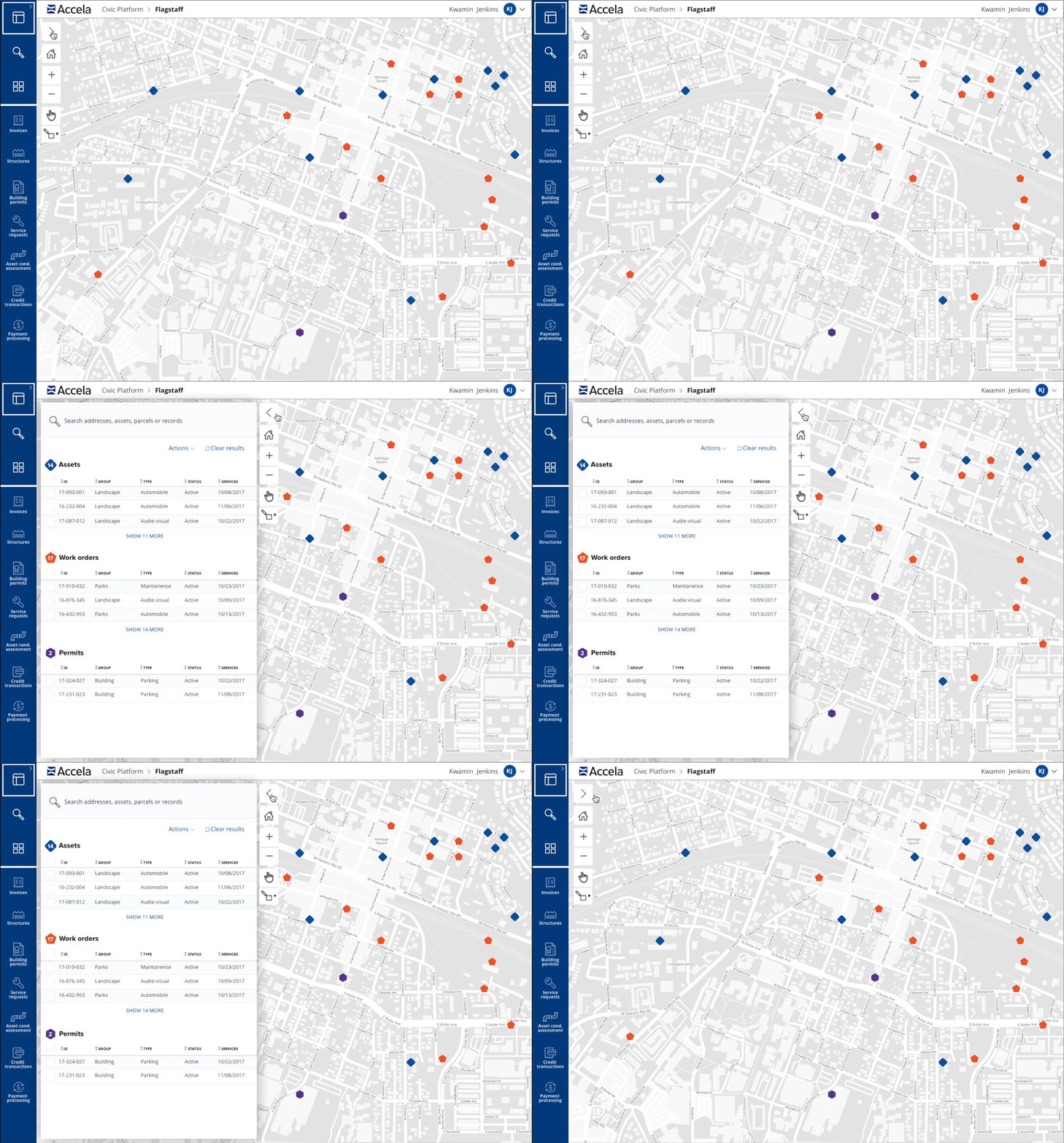
The existing interaction toggled between a full map view and a full data view and didn’t allow for a split screen view. During a customer visit, we noticed the user’s workstation had dual monitors, one displaying the map and the other displaying data. Users bought second monitors in order to simultaneously view both map and data.
Improvements include a new design system
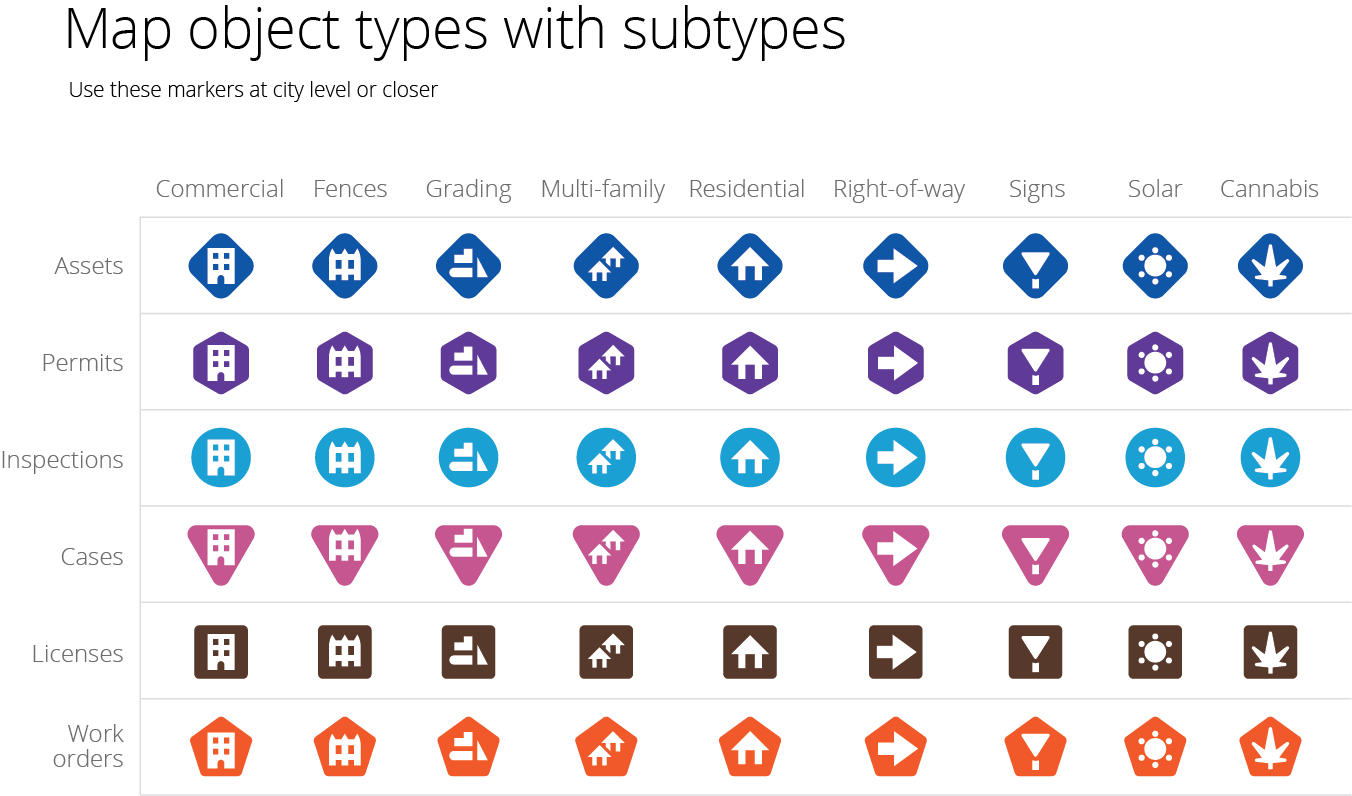
- Implement new design system to maps and routing to improve legibility and make the experience ADA compliant
- Introduce split-screen views for map vs. data removing need for double monitors
- Design a single entry point using drop-downs and progressive disclosure to give the hundreds of disparate entry points a discoverable, learnable top-level location
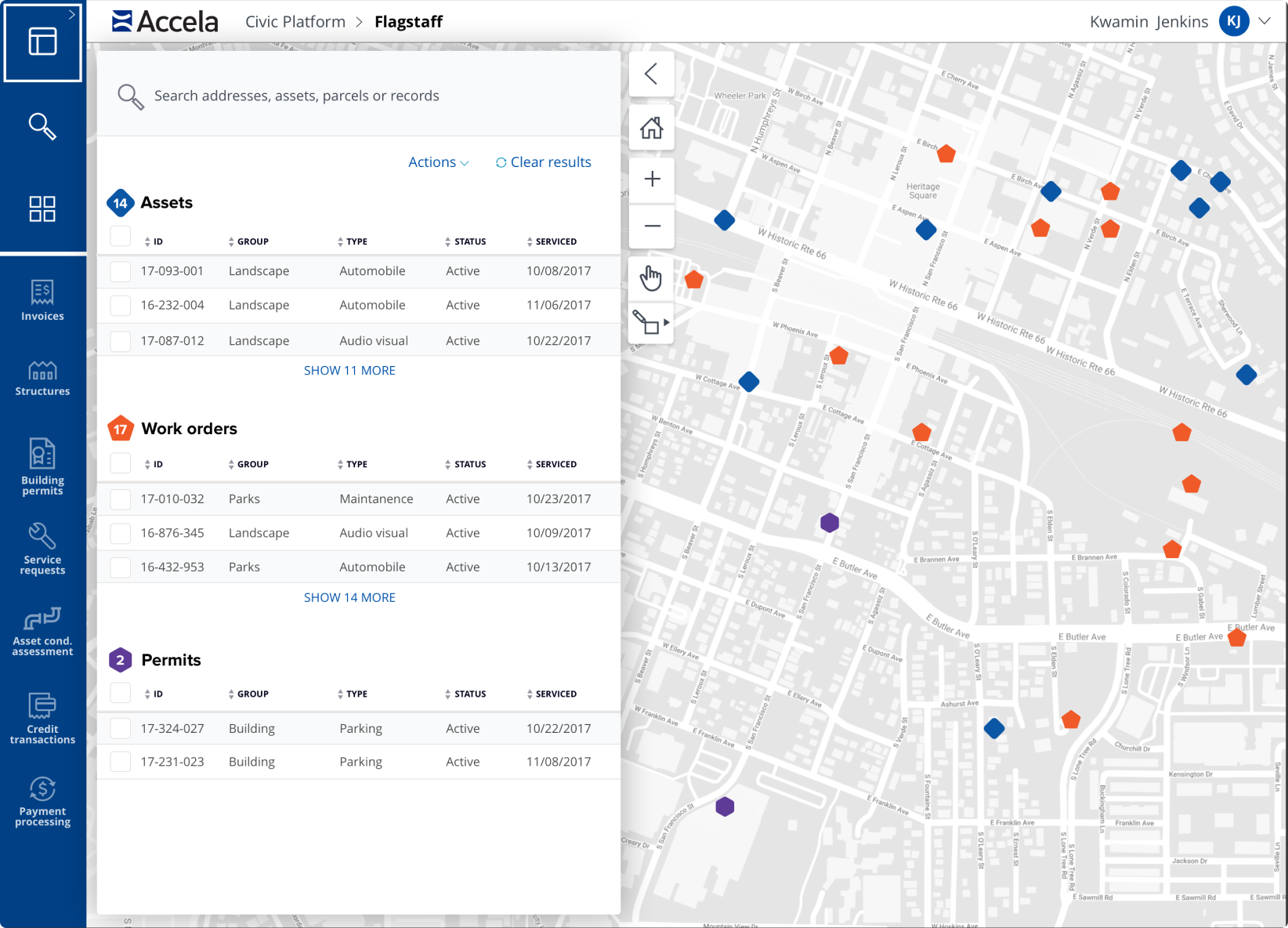
User interviews revealed the desire for a split-screen view of map and data views along with additional preferences to retain the full map view. In response, I created a split view with a collapsable data panel that revealed a full map view.
Instead of having to find and remember hundreds of workflow entry points buried several levels deep, I created a search form that allowed the user to begin every map workflow directly from the top-level map.

Reduced churn, bugs and customer support tickets
- Resolved 100+ bugs, immediately creating a significant decrease in bug count
- Resulted in ADA compliance
- Removed customer need for extra monitors
- Significant reduction in customer service tickets related to maps